Introduction
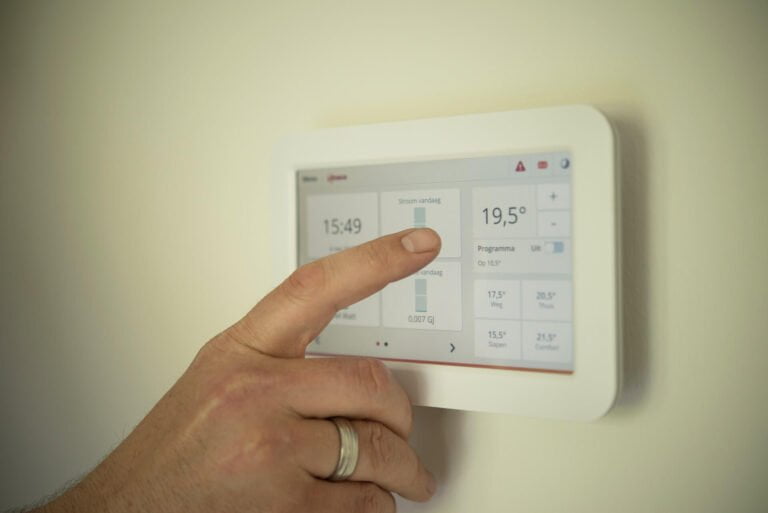
If you’re looking to enhance your home comfort, save money, and step into the world of home automation, a DIY smart thermostat setup may be just what you need. By upgrading to a smart thermostat, you can control your home’s temperature from anywhere, at any time, with the convenience of your smartphone or tablet.
Smart home devices are becoming increasingly popular due to their efficiency, affordability, and ease of use. With a DIY smart thermostat setup, you can experience these benefits firsthand and take the first step towards a smarter home.
For more understanding of the benefits of Smart Thermostats from a DIY Plumbing perspective, check out our other article here.
In this guide, we’ll show you how to install and optimize your very own smart thermostat, from choosing the right device to troubleshooting common issues. Get ready to take control of your home’s comfort and energy usage with a DIY Smart thermostat Setup.
Table of Contents
Understanding Smart Thermostats and Their Installation

If you’re considering upgrading your home with a smart thermostat, it’s essential to understand how they work. Smart thermostats use advanced sensors and algorithms to learn your heating and cooling patterns and make real-time adjustments to maximize energy efficiency and comfort. By regulating temperature settings and optimizing usage patterns, smart thermostats can help reduce your energy bills without sacrificing comfort.
Before installing a smart thermostat, it’s important to consider compatibility with your current heating system. Some thermostats work with specific types of heating and cooling systems, while others are more universal. Check your central heating boiler and ensure it’s compatible with the smart thermostat you’re considering.
| Factors to Consider During Smart Thermostat Installation |
|---|
| Thermostat compatibility with your current central heating boiler. |
| The wiring configuration of the thermostat and central heating boiler. |
| Location of the thermostat in your home and any obstructions. |
| The availability of a C wire or common wire for powering the thermostat, if required. |
Once you have ensured compatibility and checked for all the necessary wiring and system requirements, you can begin the installation process. Mount the thermostat onto the wall, connect the wires according to the wiring diagram and turn on the power. The thermostat should then guide you through any additional setup requirements, such as connecting to Wi-Fi and initializing the software.
Understanding the inner workings of a smart thermostat and proper installation is crucial to ensure maximum energy efficiency and home comfort. By following these steps, you can upgrade your home with a smart thermostat and start enjoying the benefits of an intelligently controlled home environment.
Choosing the Right Smart Thermostat for Your Needs
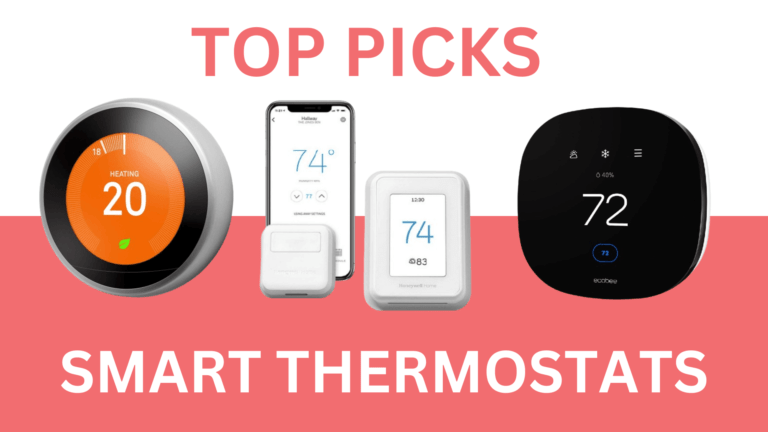
Choosing the right smart thermostat for your home can be a daunting task, but it doesn’t have to be. With the following smart thermostat guide, you can make an informed decision and find the perfect thermostat to fit your needs.
Smart Thermostat Compatibility
The first thing to consider when selecting a smart thermostat is compatibility. Many smart thermostats work with specific heating and cooling systems only, so be sure to check the product specifications or consult with a professional before making a purchase.
Wireless Thermostat System
Another important factor to consider is whether you want a wireless thermostat system or a traditional wired thermostat. Wireless systems offer greater flexibility in terms of installation and programming, while wired thermostats provide a more stable connection. However, wireless thermostats are rapidly becoming the preferred choice.
Smart Thermostat Programming
Smart thermostat programming is another important consideration. Most smart thermostats come with pre-programmed settings that can be customized to your schedule and preferences. However, some models offer more advanced programming options, such as geofencing, learning algorithms, and remote access.
Smart Thermostat Features
Finally, consider the additional features that come with different smart thermostat models. Some features to look for include voice control, compatibility with other smart home devices, and energy reports. However, keep in mind that additional features often come with a higher price tag.
Don’t forget, your smart thermostat is an investment in your home’s comfort and energy efficiency. Take the time to research your options and choose the model that fits your needs best.
Preparing for the DIY Installation
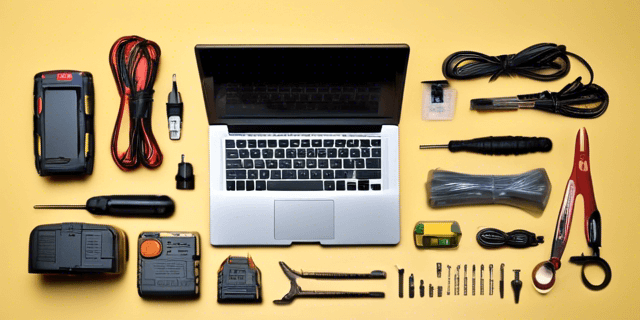
Before embarking on your DIY smart thermostat installation journey, it’s crucial to ensure that you’re adequately prepared. The following checklist will help you make sure that you have all the necessary items to make the setup process as smooth as possible:
- A flathead and Phillips screwdriver
- A voltage tester
- A mini vacuum cleaner
- Plastic wire connectors or wire nuts
- Electrical tape
- A smartphone or laptop with wireless capabilities
These items are essential tools that you’ll need to keep at hand while setting up your smart thermostat. In addition to the tools, it’s also important to consider the location and compatibility of your thermostat. Here are some factors to keep in mind:
- Choose a central location that’s easily accessible from various parts of your home
- Make sure your smart thermostat is compatible with your existing heating and cooling system – check the manufacturer’s website for compatibility information
- If you’re using a wireless thermostat system, ensure that the signal strength is strong in the chosen location
- Consider any additional security features, such as passcodes and encryption, to protect your smart thermostat from interference or hacking
Finally, don’t forget to take into account the role of home automation in the setup process. If you’re using a smart hub or other home automation devices, make sure they’re compatible and that you’ve completed any necessary configurations.
Step-by-Step Guide for DIY Smart Thermostat Setup

Setting up a DIY smart thermostat is a simple and easy way to improve your home’s energy efficiency and comfortably. Follow these step-by-step instructions below to get your smart thermostat up and running in no time.
Step 1: Turn Off Power to the Existing Thermostat
Before you start installing your new thermostat, ensure that the power to the existing thermostat is off at the circuit breaker or fuse box.
Step 2: Remove the Old Thermostat
Remove the cover of the old thermostat and disconnect the wires from the screws. Remove the wall plate and mounting screws.
Step 3: Install New Thermostat Base Plate
Use the screws provided with your new smart thermostat to mount the base plate to your wall. Ensure that your new thermostat is level. The base plate should cover any holes or paint marks left behind by the old thermostat.
Step 4: Connect Wires to New Thermostat Base Plate
Review the wiring diagram provided in your new thermostat’s installation manual. Gently insert and secure each wire into its corresponding terminal on the base plate following the diagram closely.
Step 5: Attach Thermostat Cover and Power On
Insert the batteries and connect the optional power wires as instructed in the installation manual. Line up the cover and snap it into place. Turn the power back on at the circuit breaker or fuse box and you are done!
Connecting to a Wireless Thermostat System
If you have a wireless thermostat system, download the appropriate app to your smartphone, create an account, and follow the instructions provided to connect your new smart thermostat to the app. Your thermostat should now be connected to your home wireless network and ready for use!
Optimizing Your Smart Thermostat for Maximum Efficiency
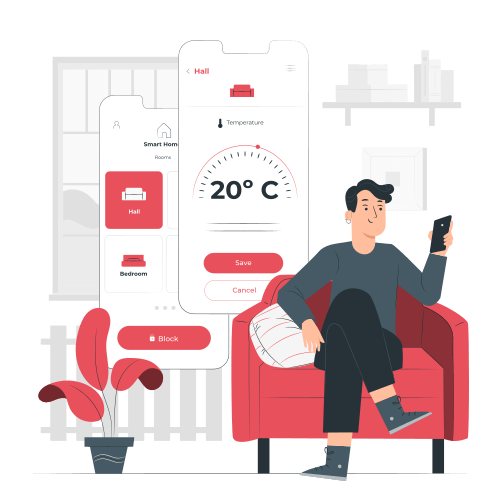
Now that you have successfully installed your DIY smart thermostat, it’s time to optimize its settings to enhance your home comfort and maximize energy efficiency.
Smart Thermostat Programming
Most smart thermostats come with pre-set programs that can be customized, but it’s important to select the right program for your home. If you’re unsure, consult the manufacturer’s guide or a professional for advice. Some thermostats even offer adaptive technology, allowing your system to learn your schedule and preferences over time.
Consider setting up a program that reduces heating or cooling when you’re away from home, as this can help reduce energy consumption and save you money in the long run. Some smart thermostats can even detect when you leave or enter your home and adjust the temperature accordingly.
Temperature Sensors
Many smart thermostats come with temperature sensors that can be placed in different rooms of your home to ensure accurate temperature readings. This allows your system to adjust temperatures based on the room you’re in, rather than relying on the temperature at the thermostat itself. This can help prevent energy waste and improve your home comfort.
Wireless Thermostat System
If you have a wireless thermostat system, consider setting up schedules for each individual room. For example, you may want your bedroom cooler at night and your living room warmer during the day. This ensures that you are only using energy when and where it’s needed, rather than heating or cooling your entire home all the time.
Regular Maintenance
Regular maintenance of your smart thermostat can help keep it running efficiently. Consider cleaning the thermostat’s sensors every few months to ensure accurate temperature readings. You may also want to replace the batteries in your wireless thermostat to ensure it has a strong signal and doesn’t lose connection.
By optimizing your smart thermostat’s settings, you can improve your home’s energy efficiency and comfort. Take advantage of smart thermostat programming, temperature sensors, wireless thermostat systems, and regular maintenance to get the most out of your DIY smart thermostat setup.
Troubleshooting Common Issues with DIY Smart Thermostat Setup
Despite the ease of setting up your DIY smart thermostat, it is possible that you may encounter some common issues. Below we have addressed the most frequently asked troubleshooting questions and provided solutions to ensure a smooth smart thermostat installation experience.
Problem: The smart thermostat is not connecting to Wi-Fi
If you are experiencing trouble connecting your smart thermostat to Wi-Fi, check the following:
- Ensure that your Wi-Fi network is working and functioning properly.
- Double-check that the Wi-Fi network name and password have been entered correctly into the smart thermostat’s settings.
- Make sure that the smart thermostat is within range of your Wi-Fi network.
- Check to see if your router has any firmware updates available and install them if necessary.
Problem: The smart thermostat is not turning on
If your smart thermostat is not turning on, try these solutions:
- Check to see if the smart thermostat is wired correctly and is properly connected to your heating and cooling system.
- Make sure that the “switch” on your central heating boiler is in the “on” position.
- Check that the wiring connections are tightly secured and that no wires are loose.
- Try resetting the circuit breaker for your central heating boiler and the smart thermostat.
Problem: The smart thermostat is not registering temperature changes
If your smart thermostat is not registering temperature changes correctly, here are some possible solutions:
- Make sure that the thermostat is installed in a suitable location according to the manufacturer’s instructions (not in direct sunlight or near cold or hot spots).
- Check that the thermostat is set to the desired temperature and the mode is in “heating” or “cooling”.
- Ensure that the temperature sensor is clean and free of any obstructions.
- Try recalibrating the thermostat using the manufacturer’s instructions.
Conclusion
By following this comprehensive guide, you can confidently undertake a DIY smart thermostat setup to upgrade your home comfort and enhance energy efficiency. Incorporating smart home devices like a smart thermostat into your home automation system can provide significant benefits for your daily life. With this setup, you can enjoy ultimate control over your home’s temperature, save on energy bills, and minimize your environmental impact.
Remember, selecting the right smart thermostat for your needs is crucial to ensure optimal performance and compatibility with your home’s heating and cooling system. This guide has provided you with all the necessary information on smart thermostat installation, choosing the right device, and programming it to maximize efficiency.
Upgrade your home today with a DIY smart thermostat setup and experience the benefits of a more comfortable, cost-effective, and eco-friendly home environment. Get started on your DIY Smart Thermostat Setup today!
FAQ
Can I install a smart thermostat myself?
Yes, with a DIY smart thermostat setup, you can easily install a smart thermostat yourself. However, if you’re unsure or uncomfortable with the installation process, it’s always best to consult a professional.
Do I need a smart home system for a smart thermostat?
No, you don’t necessarily need a smart home system to use a smart thermostat. However, integrating your smart thermostat into a smart home system can offer additional convenience and automation features.
How do smart thermostats improve energy efficiency?
Smart thermostats help improve energy efficiency by allowing you to program temperature settings based on your schedule and preferences. They also learn your usage patterns and optimize energy consumption accordingly.
Are all smart thermostats compatible with my central heating boiler?
Not all smart thermostats are compatible with every central heating boiler. It’s crucial to check the compatibility of the smart thermostat with your specific central heating boiler before making a purchase.
Can I control my smart thermostat remotely?
Yes, most smart thermostats offer remote control capabilities. You can control your thermostat using a mobile app or through voice commands if it’s compatible with virtual assistants like Alexa or Google Assistant.
How do I program a smart thermostat?
Smart thermostats typically have intuitive interfaces that allow you to program temperature settings easily. You can create schedules, adjust settings, and customize programming directly on the thermostat or through a mobile app.
Are wireless thermostats better than wired ones?
Wireless thermostats offer increased flexibility since they can be placed anywhere within range of the control unit. They eliminate the need for wiring connections, making installation easier. However, wired thermostats can sometimes be more reliable in terms of power supply.
What are the benefits of a DIY smart thermostat setup?
A DIY smart thermostat setup allows you to save on installation costs and gives you more control over the setup process. It also enables you to tailor the installation to your specific needs and preferences.
What should I do if my smart thermostat isn’t working correctly?
If you encounter issues with your smart thermostat, the first step is to check the power supply and Wi-Fi connectivity. You can also consult the user manual for troubleshooting tips or contact the manufacturer’s customer support for assistance.